
Fertilisers and plant protection, Bucharest · 2026
Aerom Products
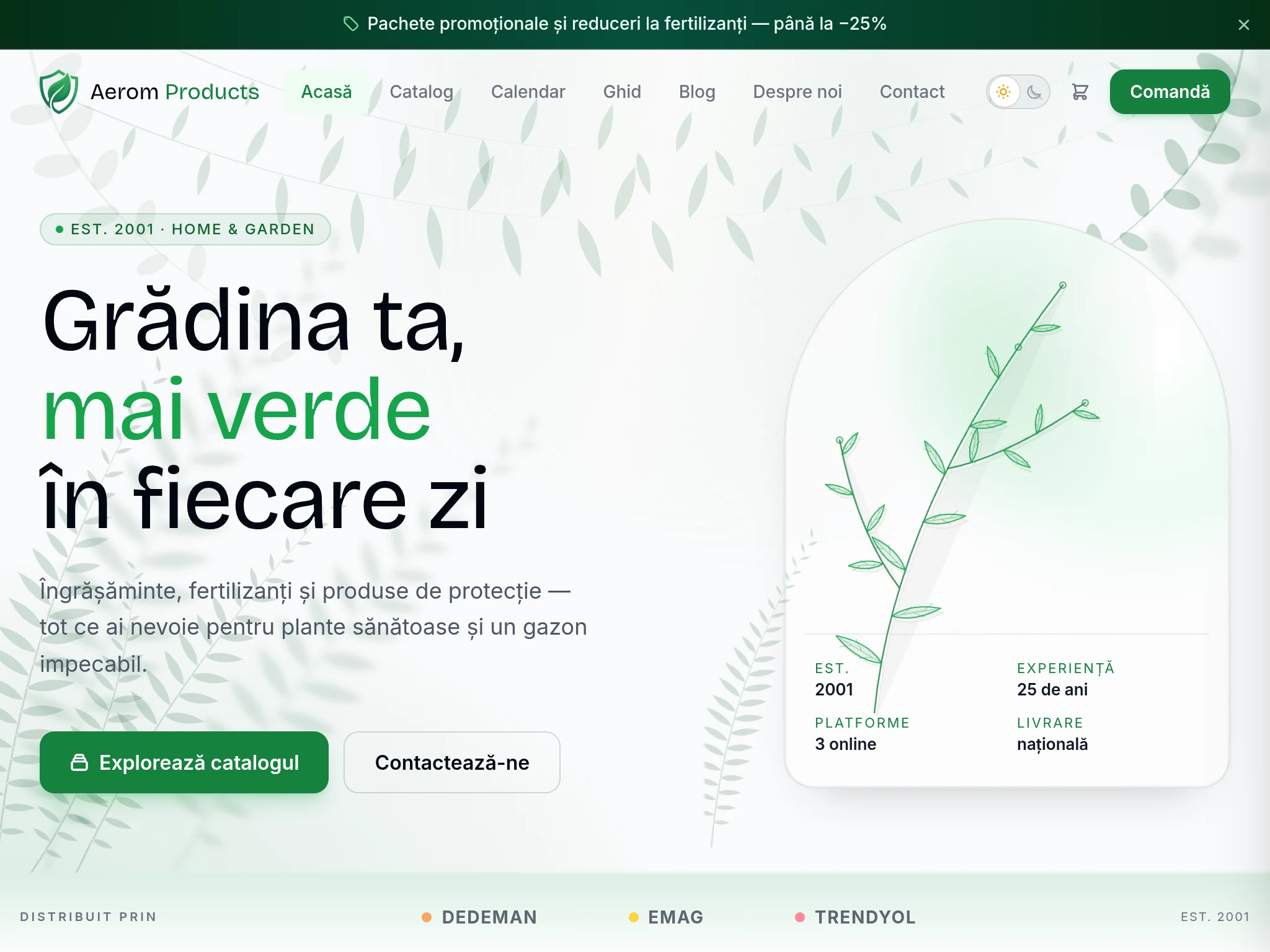
Aerom Products has sold fertilisers and plant protection products since 2001. Now it has an online shop that prices delivery on the spot, takes card payments and issues the invoice with no copying by hand.
At a glance
100
PageSpeed on mobile
Google's public test, which anyone can run again.
1.5 s
Fully displayed on 4G
Down from 10.5 s on the old WordPress site.
8
Couriers, priced on the spot
Plus 4 parcel locker networks: DPD, Cargus, FAN Courier, Sameday.
0 lei
Hosting, per month
Cloudflare Pages, no server to maintain.
The difference you feel in 2 seconds
The filmstrips below show exactly what a visitor sees at each moment of loading: the Aerom site, before and after. Real frames, tested on a 4G connection, the same method for both.
Before — WordPress
Score
4.5s
10.5s
After — Astro
Score
0.5s
1.5s
In numbers
| Metric | Aerom — WordPress | Aerom — Astro |
|---|---|---|
| PageSpeed score (mobile) | 69 | 100 |
| Fully displayed on 4G | 10.5 seconds | 1.5 seconds |
| Monthly hosting cost | 50–200 lei | 0 lei |
| Possible security incidents | Plugins, database, admin panel | No plugins; the internal panel sits behind Cloudflare Access and a PIN |
Want to see the same test on your site?
Test it now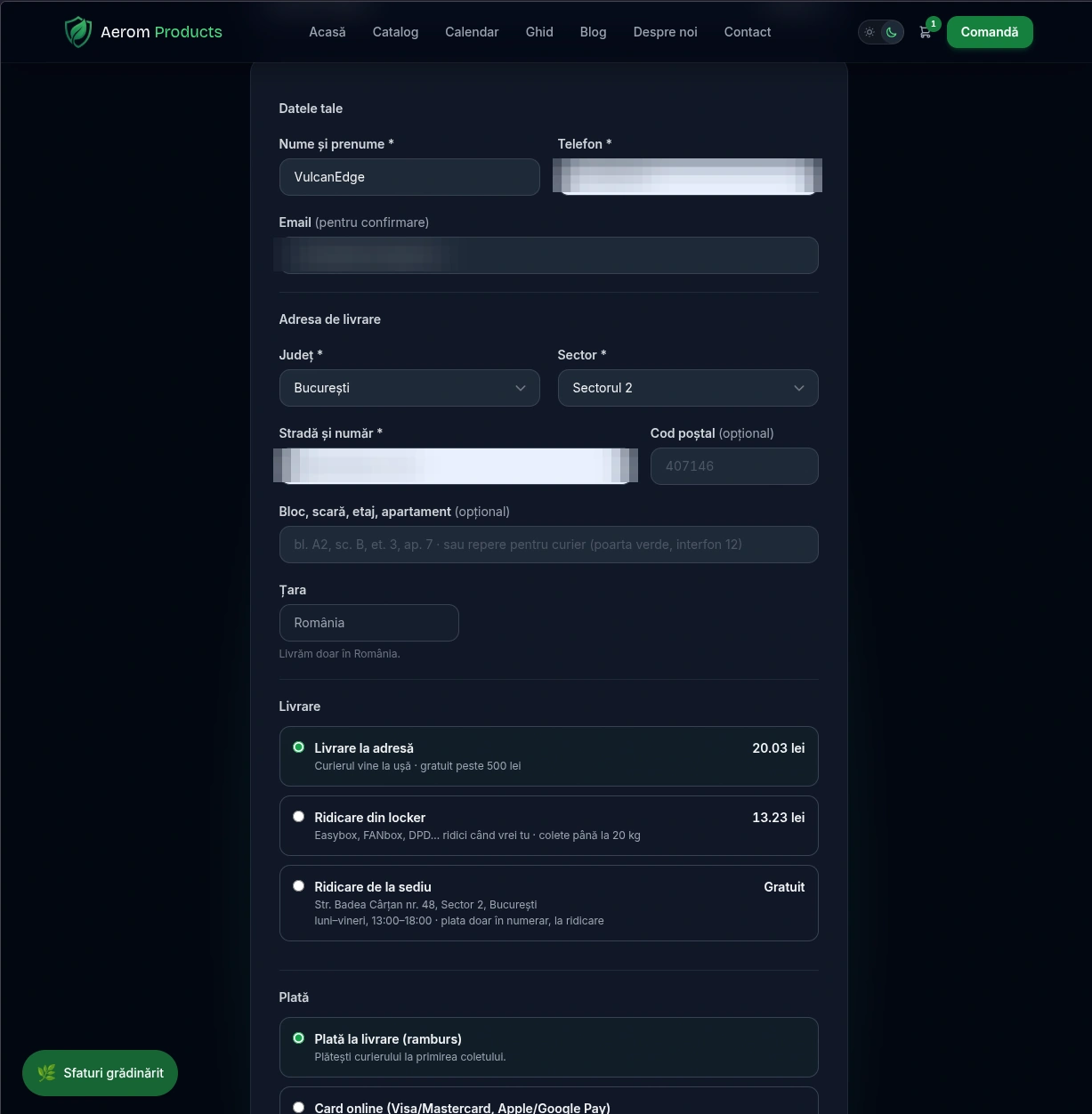
01
Ordering with live courier pricing
The customer types their address and sees the delivery cost on the spot. The price comes from the courier at the moment of the order, not from a fixed table. Over 500 lei, home delivery is free.
The order is sent straight from the site. WhatsApp stays an ordering channel, next to the form, for anyone who prefers it.
02
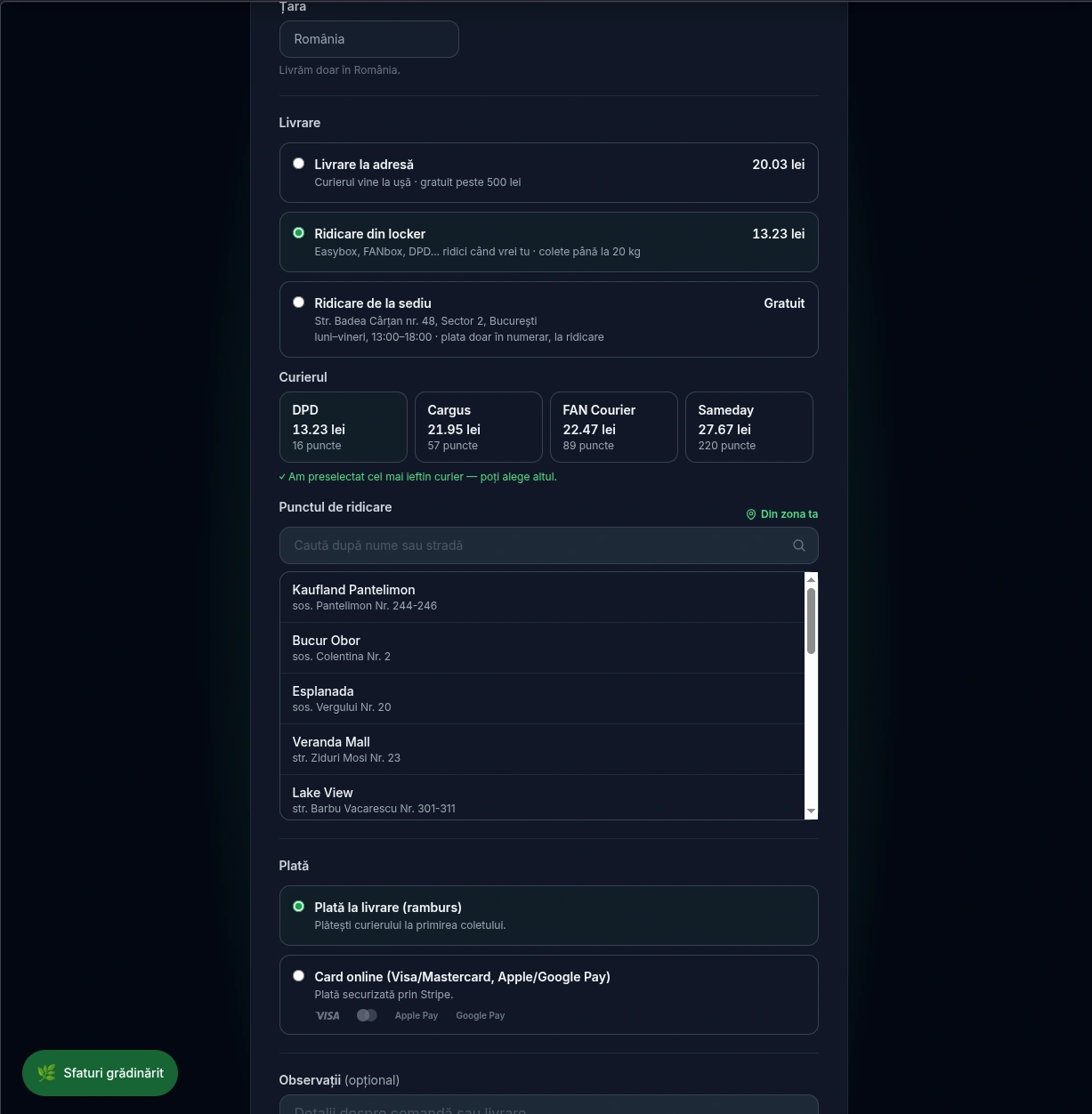
Lockers: the customer picks the network
For locker pickup, the customer chooses between DPD, Cargus, FAN Courier and Sameday. Each network shows its price and how many points it has nearby.
The cheapest courier is selected by default, but it can be changed. The pickup point can be searched by name or street.
03
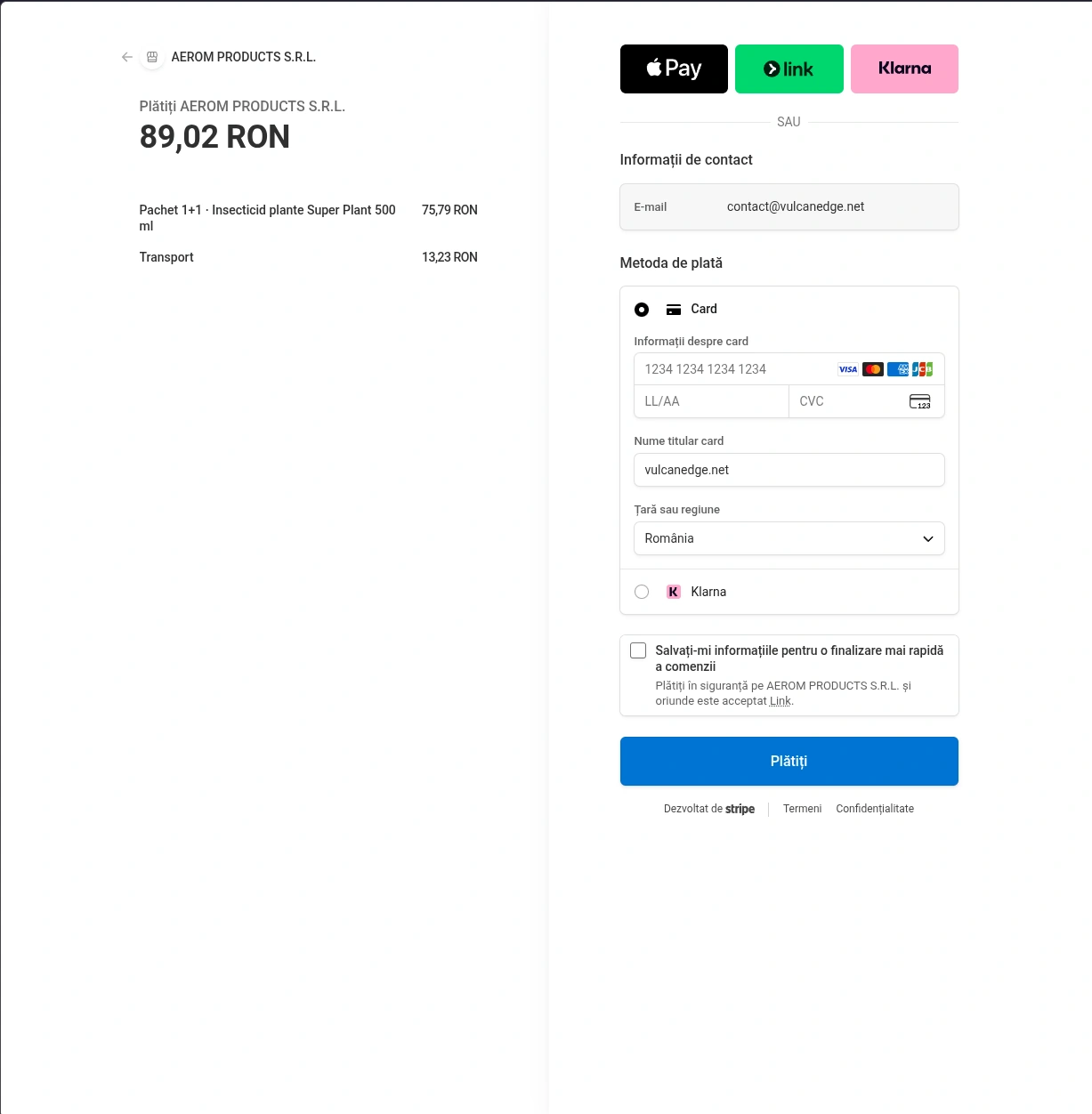
Card payment (Stripe) and cash on delivery
Cash on delivery stays the default. Anyone who wants to can pay by card, Apple Pay or Google Pay, on Stripe's secure page.
Card details never pass through the site. In the panel, every order shows whether the card payment came through.
04
Confirmation: an email to the customer and to the company
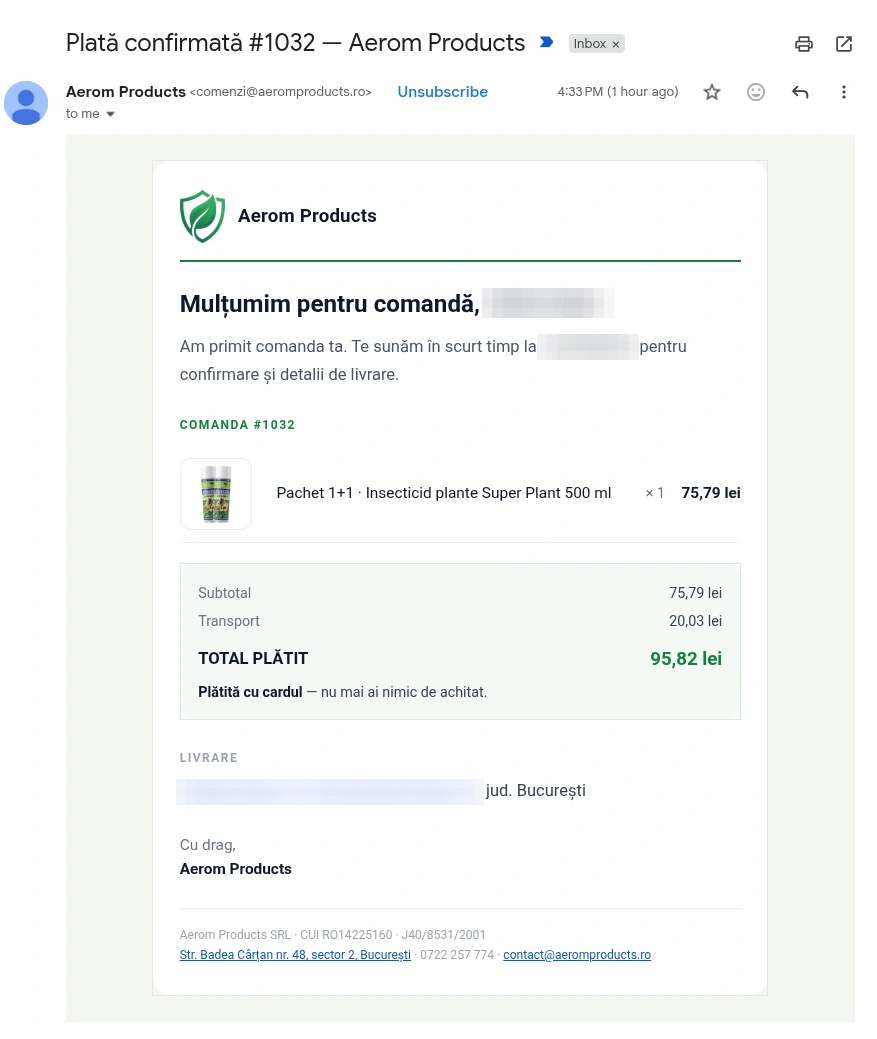
After ordering, the customer gets an email confirmation: the products, shipping and total. If they paid by card, the email tells them there is nothing left to pay.
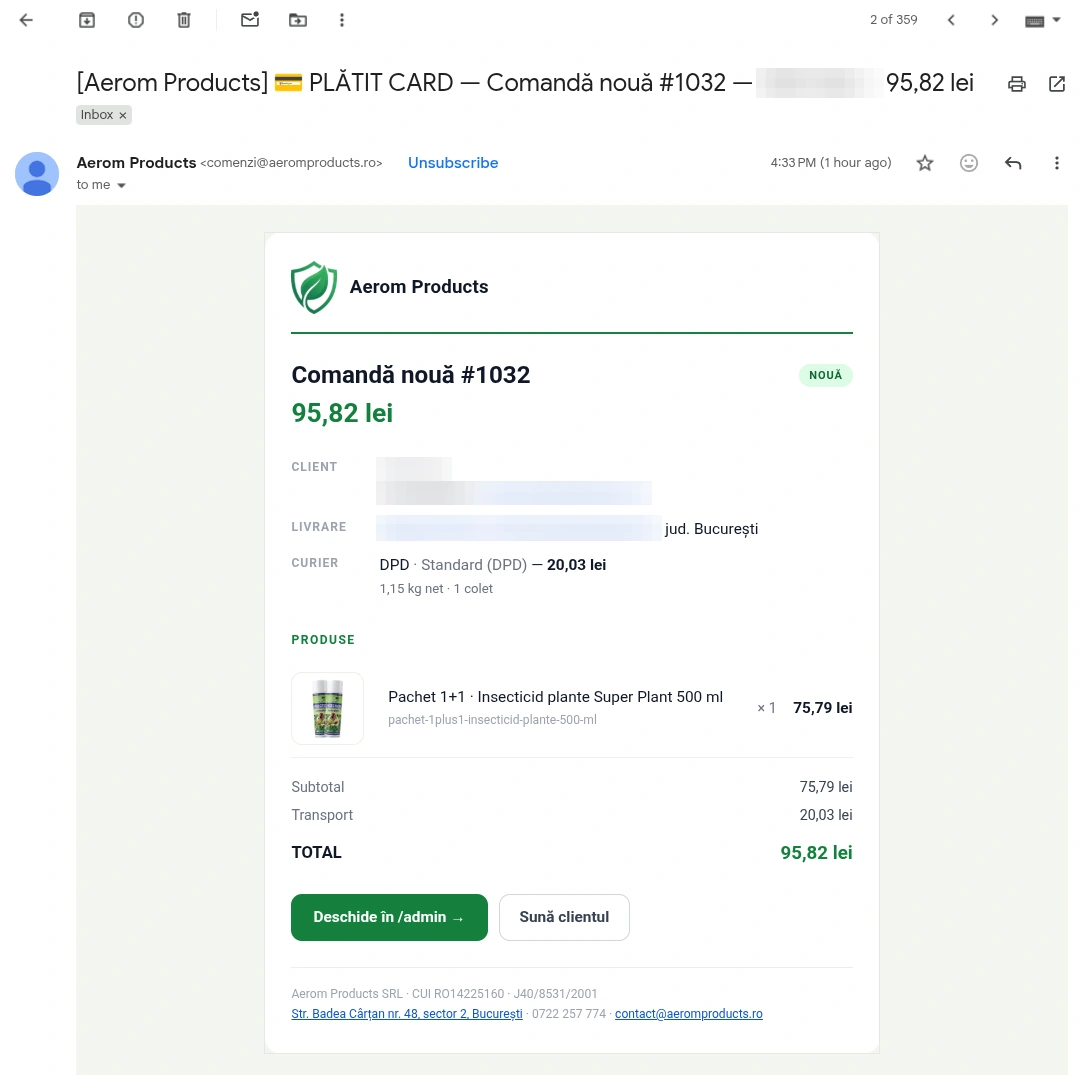
At the same time, the company gets the order by email, with the chosen courier and the parcel weight. One button opens the order in the panel, another calls the customer.
05
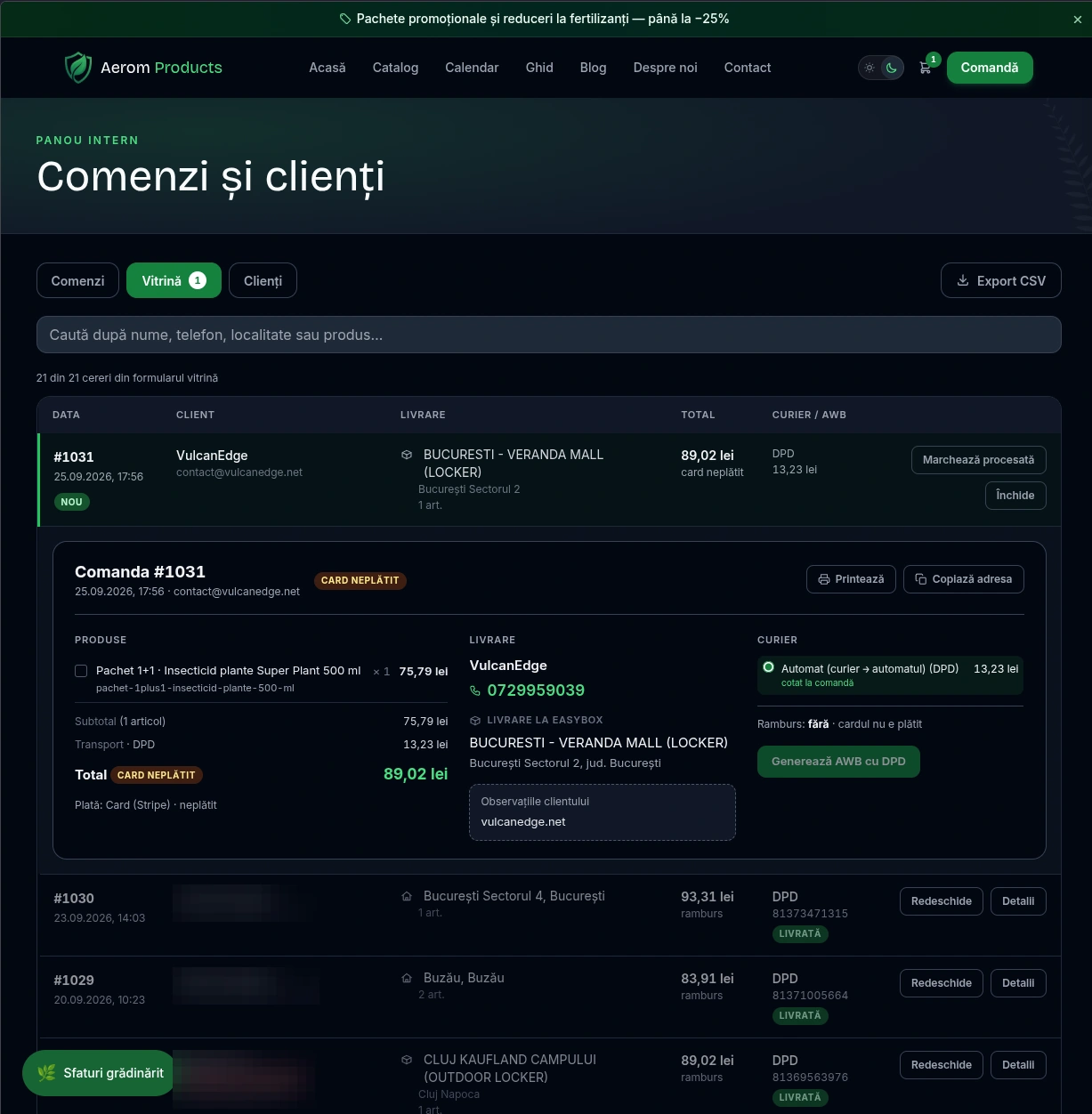
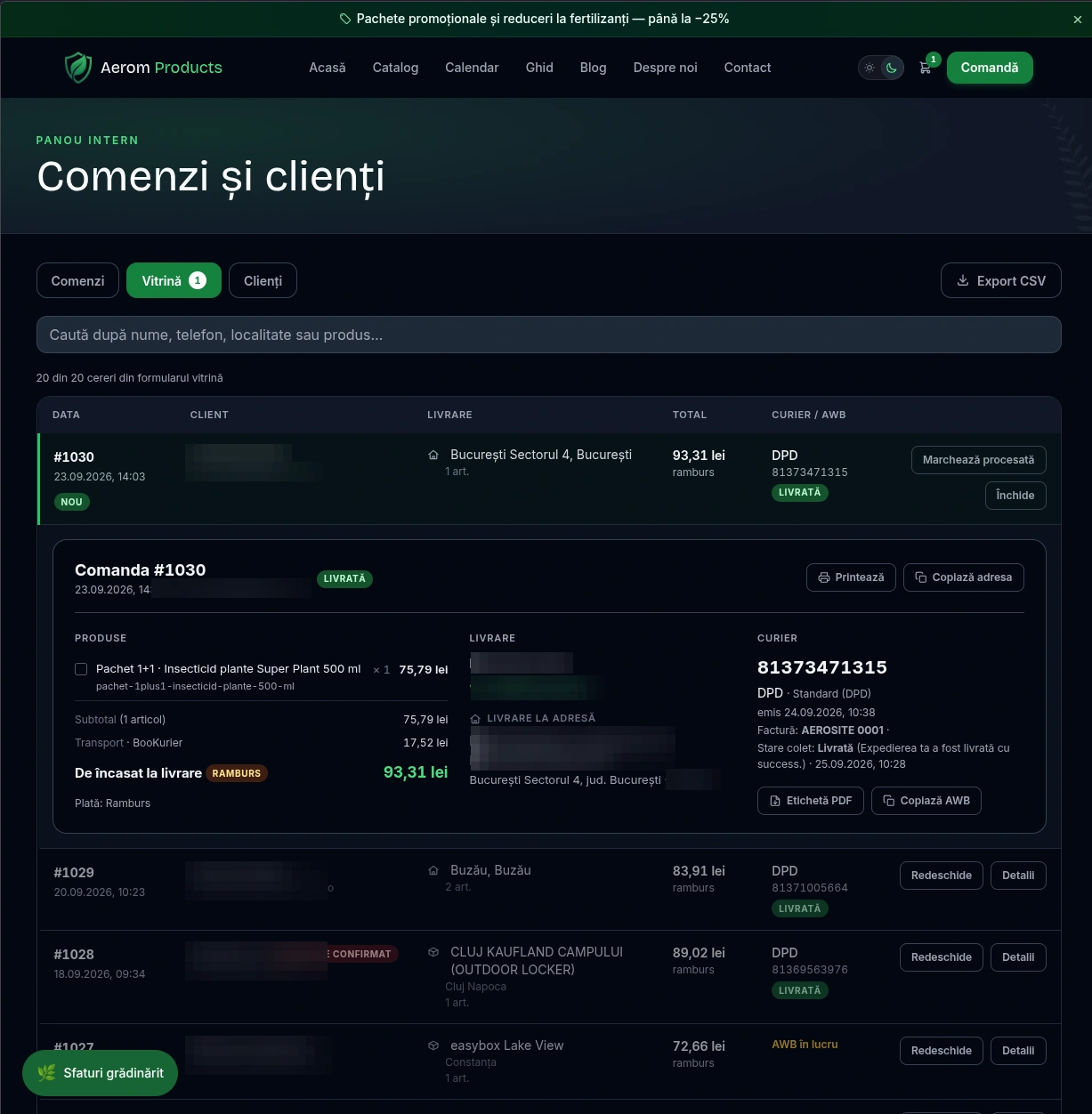
The admin panel: orders, AWB, shipping label
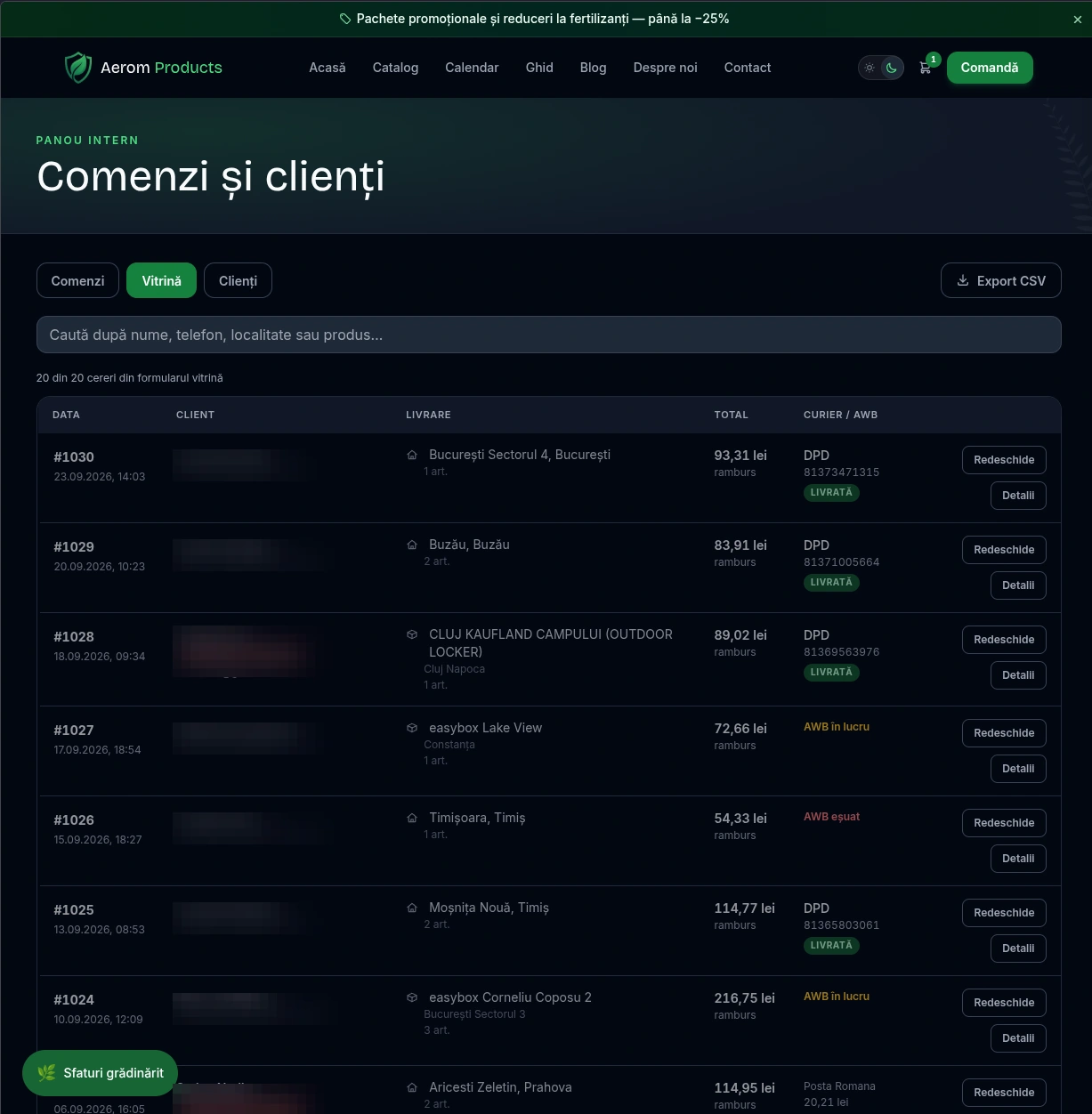
Every order sits in one panel: date, delivery, total, courier and parcel status. Search works by name, phone, town or product.
The AWB (the courier's waybill) is generated with one button, on the courier chosen at checkout. The label is downloaded from here. The «Delivered» status arrives on its own from the courier.
06
Automatic invoicing: Oblio and SPV
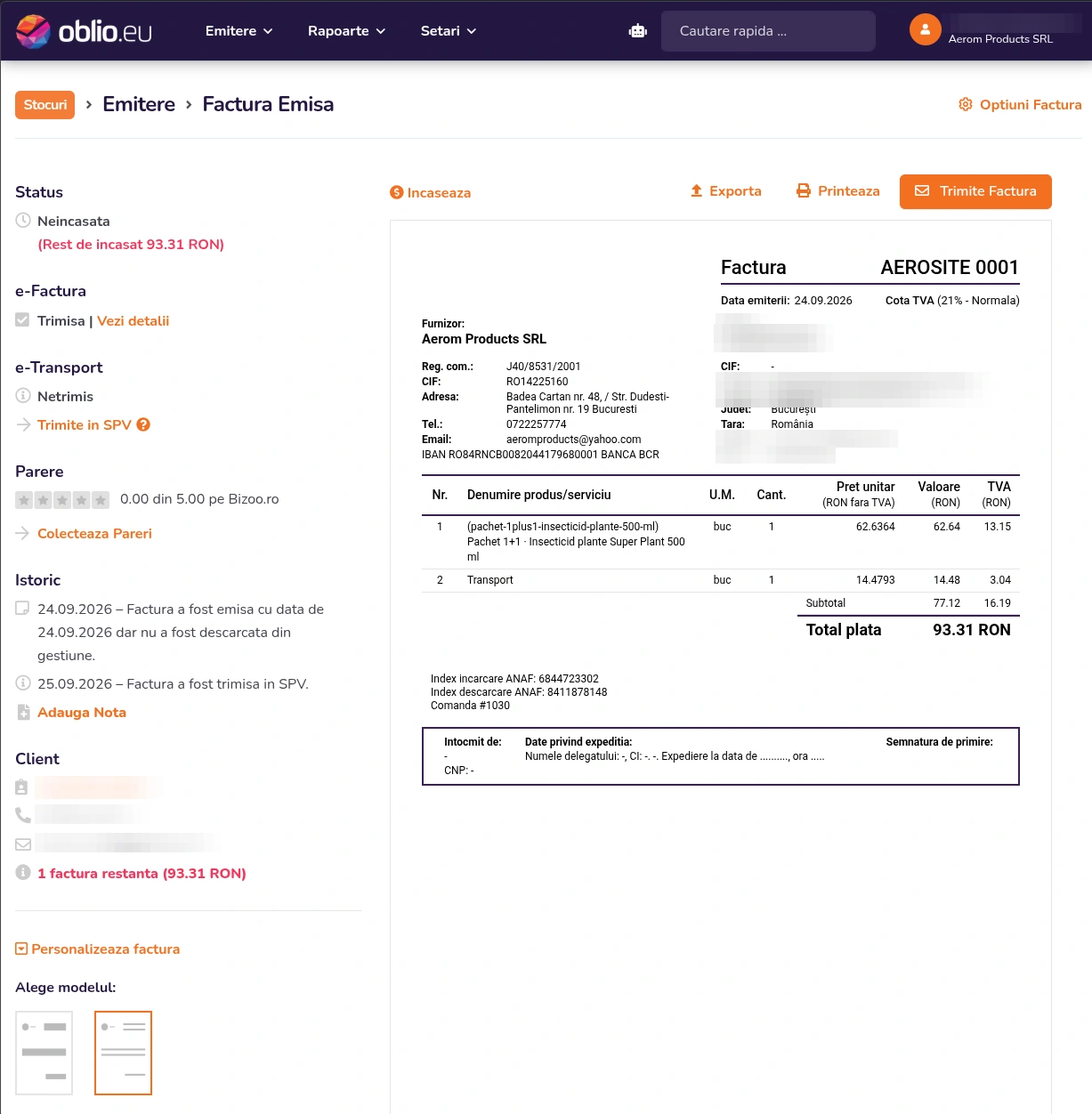
The invoice is issued in Oblio with the products and shipping from the order. The order number appears on the invoice.
From there it goes to SPV, the Romanian tax authority's e-invoicing system. The administrator no longer copies anything by hand.

07
The product assistant
The assistant on the site answers questions about products: what dose, what it works for, how to use it. The answer comes from the catalogue descriptions and leads to the right product.
It works at any hour, with no operator. Questions that try to push it out of its role are stopped.
Under the hood
- Static pages, functions only where needed
- Pages open fast. Only ordering, payment and the panel run on the server.
- Orders stored in D1
- Every order lives in the site's database, not just in an email.
- Cloudflare Access and a PIN on the panel
- Only the company's people can reach orders and customer data.
- Courier pricing that never blocks an order
- If the courier service does not answer, the customer sees an estimated rate and the order goes through.
- AWB on the service quoted at checkout
- The parcel ships with exactly the service the customer saw. The price is not recalculated at dispatch.
- Parcel status checked every 2 hours
- The panel shows on its own when a parcel was delivered. 48 hours after delivery, the customer gets a review request.
- A filter for trick questions in the chat
- The assistant sticks to the company's products, however the question is worded.
PageSpeed Mobile
Google's public test, on mobile. Anyone can run it again, any time.
Run the test yourself →How we worked
- 01
We started from the eMAG export
The same file Aerom already downloads from its seller account. Nothing special is created for the site.
- 02
The catalogue builds itself
On every update, the site rebuilds its product pages from the file: names, prices, descriptions, photos.
- 03
An order button and the assistant on every product
Every product has an order button. Product questions go to the assistant, around the clock.
- 04
We built the shop
Live courier pricing, lockers, card payment, invoices in Oblio and an internal panel for orders.
orders, AWBs and invoices in one place
What the client says
„Most of the questions I used to get were the same: what dose, what it works for, how to use it. Now the assistant on the site answers them, from my own descriptions, even at 11 at night. Orders still come in on WhatsApp, with the product already filled in, so I didn't have to learn any new software. That mattered most to me: it was built around the way I work, not the other way round.”
Want a site built with the same care?
See how we can work together on your clients' sites.
See the partnership